It is essential to monitor any quality issues related to sales documents and customer interactions. IM Quality Compliance facilitates this by allowing users to log an incident associated with any selling process. It enables identification of the specific document and line item where the issue occurred, and allows linking that document to any related documents involved in the incident.
For example, it can be used to record a sales return or link a sales order related to the recovery of a product that was not received compliant.
Below, we present an explanation of the main fields involved.
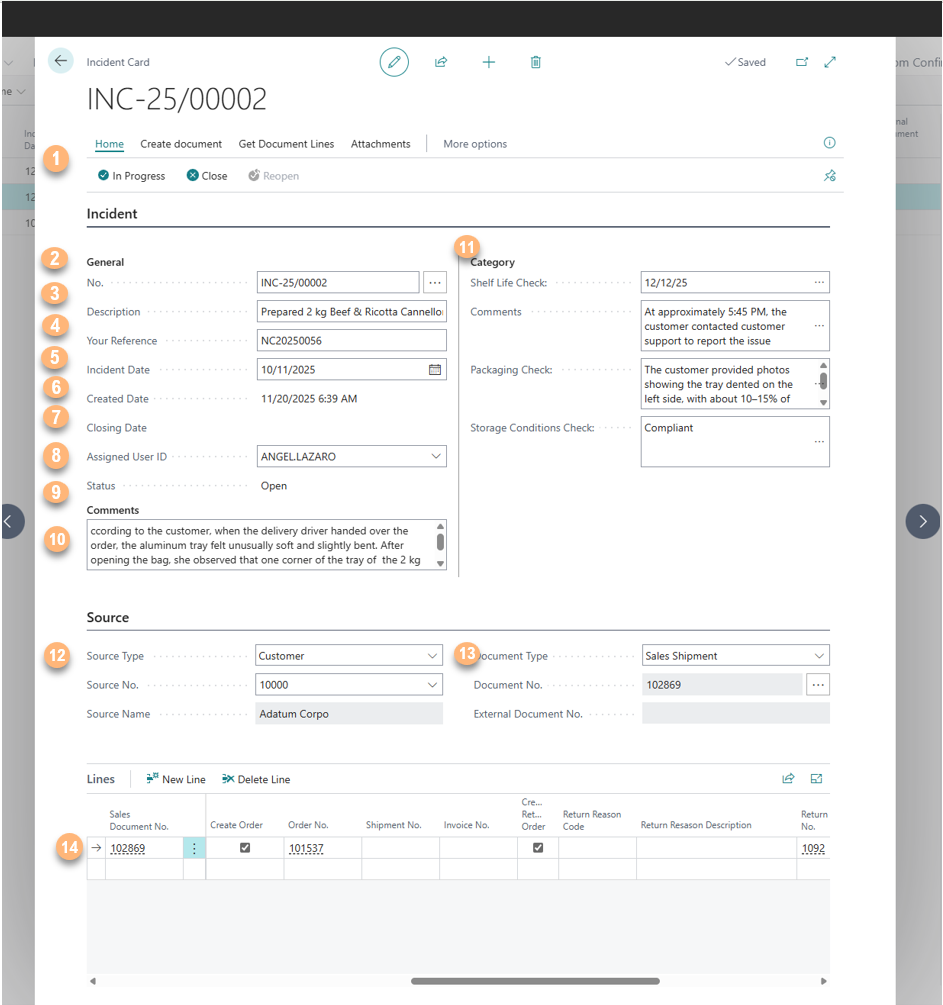
- Status: Modify the current state of the incident — Open, In Progress, or Closed.
- No.: The unique identification number assigned to the incident.
- Description: A brief summary of the issue.
- Your Reference: An internal reference provided by the customer, if available.
- Incident Date: The date on which the incident occurred.
- Created Date: The date when the incident record was created in the system.
- Closing Date: The date when the incident was resolved and officially closed.
- Assigned User: The user responsible for managing and following up on the incident.
- Status: Displays the current status of the incident
- Notes: Additional details or clarifications about the incident, if necessary.
- Free Fields: Customizable fields related to the incident that can be populated as needed.
- Source Type: Indicates whether the source is a Customer or Vendor.
- Document Type: Specifies the type of document in which the incident was identified.
- Lines: Detailed information about the line item(s) related to the incident, retrieved using the “Get Document Lines” option.
The user can create related documents from the Incident Card while keeping trace of each document.
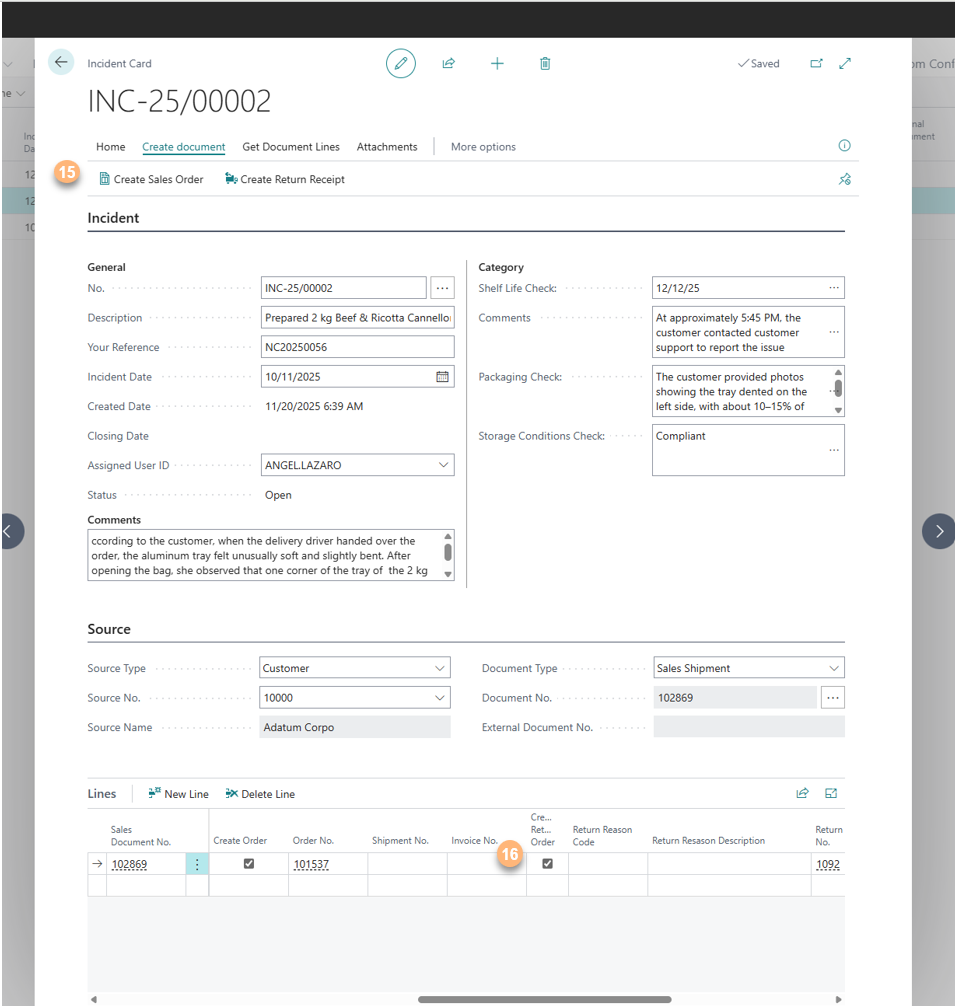
- Create documents: As in the example Sales Order or/and Return Receipt created directly from the chart and related to the incident.
- Traceability of de Order and Return.